
Running Services
portico up starts your services and the proxy in front of them, and stops them all on Ctrl-C. Other commands control it from a second terminal.
At a Glance
- A
portico.yaml, or--runand--routeflags. - One Portico per project: a second
portico upfor the same config refuses to start.
Start Services
portico up                  # everything, output prefixed by service
portico up web api          # only these
portico up --tui            # live dashboard
portico up --watch          # reload when portico.yaml changes
Naming services starts only those; the rest keep their routes and answer 503. Services you start yourself (those with only a port) are routed, but never started, so they can't be named.
When a service's port is already taken, Portico warns that another process may answer its route.
Output and Logs
Every line a service prints shows up prefixed with its name. These flags change what you see:
--hide web,api: keep these services' output off the screen (it's still logged).--timestamps: prefix every line with the time.--raw: print output without prefixes or colors, and Portico's own lines to stderr.--no-logs: don't write log files.
Each service's output is also written to .portico/logs/<name>.log, without colors. The file starts over with each portico up, and rotates at 10 MB, keeping one older file (<name>.log.1). quiet: true and log: false do the same as --hide and --no-logs for one service.
Portico keeps its state in .portico/ next to portico.yaml, and writes a .gitignore there so none of it gets committed.
Crashes
A service that exits on its own stays down, so its error stays on screen. Requests to it get a 503 that includes its exit code and last 20 lines of output. Restart it once it's fixed:
portico restart apiThe Dashboard
portico up --tui replaces the log stream with a live view of every service, its state and its output. It needs a terminal, and can't be combined with --raw.
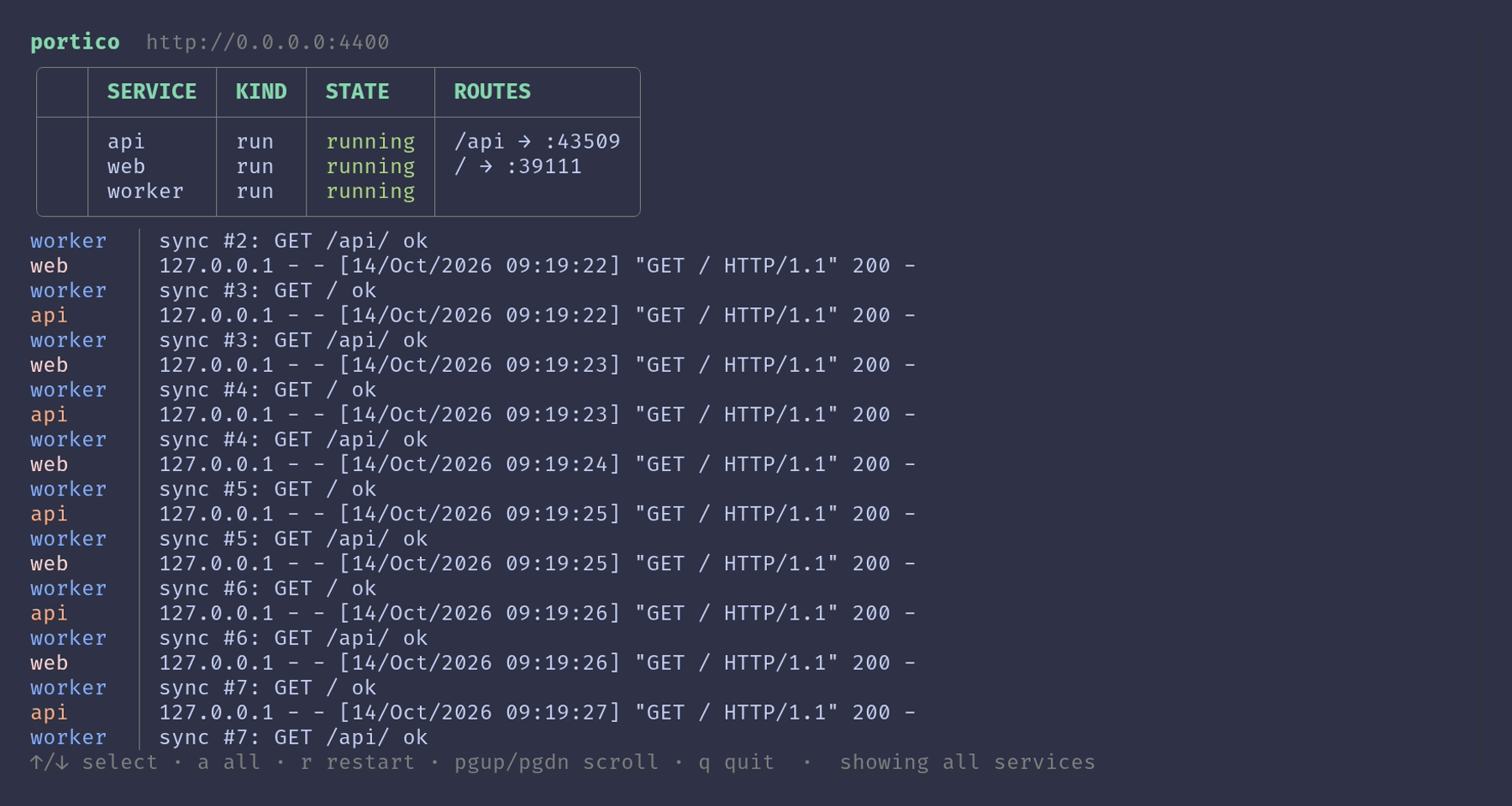
| Key | Action |
|---|---|
↑ / k, ↓ / j | Pick a service. |
a / Esc | Show every service's output again. |
r | Restart the selected service. |
PgUp / PgDn | Scroll back and forward. |
g / Home | Jump to the oldest output. |
G / End | Jump to the latest output. |
q / Ctrl-C | Stop everything and quit. |
Reload on Changes
portico up --watch reloads when portico.yaml changes, so it needs a config file. Only the services whose entries changed restart, and the others keep their ports. An invalid file is reported and ignored until it's fixed.
Changes to proxy or runtime need a full restart. --watch warns about them, and applies nothing more until they're undone or Portico restarts.
Control a Running Portico
From another terminal, under the same config:
portico status              # states, routes and the public URL
portico logs api -f         # follow one service, or all of them
portico restart api
portico down
portico logs reads .portico/logs, so it also works after Portico stopped.
Stopping
Ctrl-C, closing the terminal and portico down all stop every service. Commands get SIGTERM (their whole process group), then SIGKILL if they're still running 5 seconds later. Containers are removed and compose services stopped.
If Portico itself was killed, portico down cleans up what it left behind: the processes it started, its containers and its compose services.